
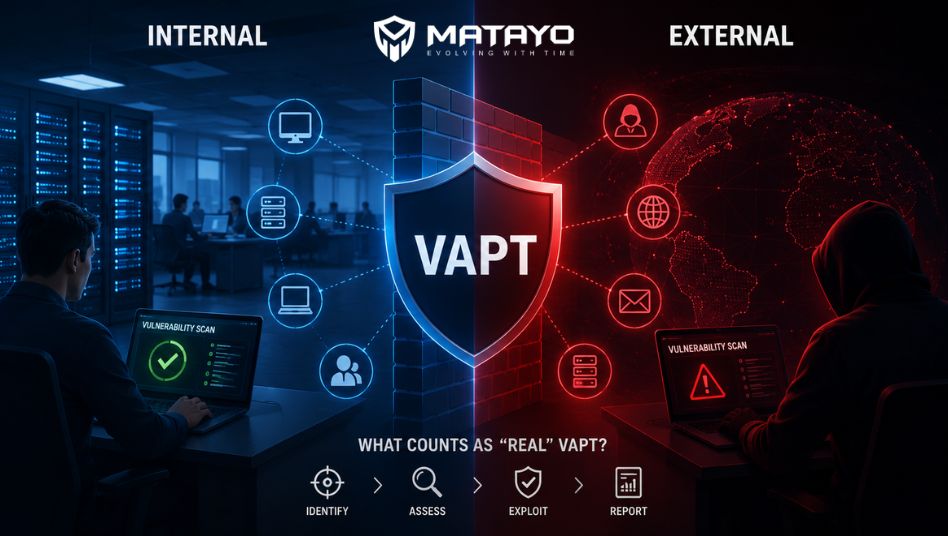
Most businesses run one vulnerability scan and call it a day. They tick the compliance box, file the report, and move on. But here’s the problem: a single scan only shows half the picture. Understanding Internal vs External Vulnerability Scanning is the first step to knowing whether you’re actually secure, or just think you are.
Many vendors sell a scan and label it “VAPT.” That’s misleading. Real VAPT combines both perspectives with actual human-led testing, not just automated reports.
What is the difference between Internal and External Vulnerability Scanning?
External scanning checks your systems from outside the network, like an attacker on the internet would. Internal scanning checks systems from inside your network, simulating an insider threat or a breach that’s already happened. Both are needed for full coverage.
What is Vulnerability Scanning?
Vulnerability scanning is an automated process that checks systems, networks, and applications for known security weaknesses. It uses specialized software to compare your infrastructure against databases of known vulnerabilities.
Think of it as a health check-up. It flags problems, but it doesn’t perform surgery. That’s where penetration testing and ethical hacking come in, going beyond detection to actually exploit weaknesses safely and confirm real-world risk.
Scanning alone is a starting point. It is not, by itself, a complete cyber security audit.
Difference Between Internal and External Vulnerability Scanning
This is where most confusion happens. Let’s break it down plainly.
External Vulnerability Scan
An external scan looks at your organization from the outside. It tests everything exposed to the internet: websites, email servers, VPN gateways, firewalls, and public IP addresses. This is your external attack surface, the part of your business a hacker sees first.
Internal Vulnerability Scan
An internal scan happens from inside your network. It assumes a threat is already there, whether that’s a malicious employee, a compromised laptop, or malware that slipped past your defenses. It checks internal servers, workstations, databases, and internal network security controls.
Both scans matter because attackers don’t stop at your perimeter. Once they’re in, internal weaknesses decide how much damage they can do.
What is Included in a Real VAPT?
A real Vulnerability Assessment and Penetration Testing engagement is more than a scan report with a color-coded risk score. It typically includes:
- Scoping and threat modeling based on your actual business risk
- Automated vulnerability assessment across internal and external systems
- Manual penetration testing by certified ethical hackers
- Web application security testing for custom apps and APIs
- Exploitation validation to confirm findings aren’t false positives
- Business-risk-based reporting, not just a technical dump
- Remediation guidance with retesting support
If a provider skips manual testing entirely, it’s not VAPT. It’s just a scan with a fancy name.
Common Misconceptions About VAPT
- “A scan report is the same as a penetration test.” It isn’t. Scans find surface-level issues; testing proves exploitability.
- “One scan covers everything.” Internal and external scans reveal different risks.
- “VAPT is only for large enterprises.” SMBs are frequent targets precisely because they assume otherwise.
- “Compliance equals security.” Passing an audit checklist doesn’t mean your systems are actually resilient.
When Should Businesses Perform Both Scans?
Run both internal and external scans when:
- You’re launching new infrastructure or applications
- You handle sensitive customer or financial data
- You need to meet compliance requirements (ISO 27001, SOC 2, PCI-DSS)
- You’ve had recent changes to network architecture
- It’s been more than 6 months since your last full assessment
Most mature security programs run external scans quarterly and full VAPT (internal and external) at least twice a year, or after major changes.
Best Practices
- Treat scanning as continuous, not a once-a-year event
- Always pair automated scans with manual penetration testing
- Prioritize fixes by actual business risk, not just CVSS scores
- Retest after remediation to confirm issues are truly closed
- Choose a provider that explains findings in plain language, not just jargon
Comparison Table
| Parameter | Internal Scan | External Scan |
| Purpose | Identify risks from within the network (insider threats, lateral movement) | Identify risks visible to attackers from the internet |
| Scope | Internal servers, endpoints, databases, internal apps | Public IPs, websites, email servers, firewalls, VPNs |
| Visibility | Simulates access after a breach has occurred | Simulates an outside attacker’s view |
| Risks Covered | Privilege escalation, lateral movement, weak internal controls | Open ports, exposed services, outdated public-facing software |
| Testing Location | Conducted from within the corporate network | Conducted remotely, over the internet |
| Common Tools | Nessus, OpenVAS, internal network scanners | Nmap, Qualys, external attack surface tools |
| Benefits | Strengthens internal network security posture | Reduces external attack surface exposure |
Conclusion
Internal vs External Vulnerability Scanning isn’t an either-or decision. Real security comes from understanding both sides of your environment: what’s visible to outside attackers and what’s exposed once someone gets in. A genuine VAPT service combines both scan types with hands-on penetration testing, not just an automated report with a logo on it.
CTA
Not sure if your last security assessment was a real VAPT or just a scan in disguise? Talk to Matayo Solutions ethical hacking team for a straightforward, business-risk-focused vulnerability assessment and penetration testing engagement, covering your internal network and external attack surface. Contact Matayo Solutions today to schedule your security assessment.
FAQs
1. Is an external scan enough for compliance?
Usually not. Most frameworks like PCI-DSSand ISO 27001 require both internal and external testing to demonstrate full-spectrum security coverage.
2. How often should I run vulnerability scans?
External scans quarterly are common. Full VAPT, including internal testing, should happen at least twice yearly or after major changes.
3. Can automated tools replace manual penetration testing?
No. Automated tools find known issues but miss logic flaws and chained attack paths that only manual testing by ethical hackers can uncover.
4. Do small businesses really need VAPT?
Yes. SMBs are common targets because attackers assume weaker defenses and less monitoring than larger enterprises.
5. What tools are used in internal vulnerability scans?
Common tools include Nessus and OpenVAS, configured to scan internal IP ranges, servers, and workstations for misconfigurations.
6. Why do internal scans matter if my perimeter is secure?
Perimeters get breached. Internal scans catch what happens next, like lateral movement or privilege escalation inside your network.
7. How long does a full VAPT engagement take?
Typically one to three weeks, depending on scope, number of assets, and whether web application testing is included.
8. What’s included in a VAPT report?
Findings ranked by business risk, proof-of-concept exploitation details, and clear remediation steps for your technical team.
9. Does Matayo AI offer retesting after remediation?
Yes, retesting is standard practice to confirm vulnerabilities are properly fixed before closing out an engagement.
10. What’s the difference between vulnerability assessment and penetration testing?
Assessment identifies weaknesses. Penetration testing actively exploits them to prove real-world impact and business risk.